Phase Based Corporate Event Checklist For Planners: ISO 20121 & EIC

Phase Based Corporate Event Checklist For Planners: ISO 20121 & EIC
Use a phase-based corporate event checklist covering pre-event setup, timeline milestones, venue and vendor coordination, day-of run-of-show, and post-event reporting to avoid the most common causes of event failure. The core categories are objectives, budget, venue, vendors, AV, accessibility, sustainability, run-of-show, and registration, with reporting benchmarked against ISO 20121 and the EIC post-event report structure. Platforms like Jubiliq help operationalize each phase without juggling separate spreadsheets.
TL;DR:
- Clarify objectives and secure stakeholder approval at least six to nine months before the event to prevent scope creep and last-minute delays.
- Confirm venue capacity, accessibility, and internet connectivity in the contract to avoid expensive changes or accessibility issues later.
- Specify detailed vendor performance and cancellation terms, including backup options and sustainability credentials, to minimize on-site failures.
- Lock the run-of-show and rehearse technical aspects within two weeks of the event to ensure smooth proceedings and mitigate AV failures.
- Complete post-event reports within 30 days, including key KPIs on attendance, budget, and sustainability, to inform improvements for future events.
Table of Contents
- The master checklist, phase by phase
- How to build a planning timeline that avoids bottlenecks
- Venue checklist: capacity, access, and connectivity
- Vendor and contract management that protects the event
- Audio-visual and production checklist for hybrid events
- Registration, ticketing, and attendee management
- Accessibility, inclusion, and dietary checklist
- Sustainability checklist aligned with ISO 20121
- Risk management, safety, and cybersecurity checklist
- How to build a run-of-show and day sheet
- Post-event reporting and KPIs that drive the next event
- How an event platform streamlines checklist management
- Team roles and staffing plan
- Technology integration: apps, streaming, and Wi-Fi
- Compliance and permits: what to confirm in advance
- What experienced planners wish they’d known sooner
- A quick note on how Jubiliq fits this checklist
- FAQ
- Sources
The master checklist, phase by phase
Corporate events fail for predictable reasons: unclear objectives, budget drift, vendor gaps discovered too late, and missing day-of documentation. Breaking the work into four phases, each with named owners and due dates, closes most of those gaps before they become problems.
Pre-event (90 to 60 days out)
- Define objectives and audience. Write a one-paragraph purpose statement and identify the primary audience segment; owner: event lead; due by day 90.
- Set the budget baseline. Build a line-item budget with contingency of at least 10%; owner: finance partner; attach the draft budget sheet.
- Align stakeholders. Confirm sponsors, executive stakeholders, and approval chain in writing; owner: event lead.
- Issue initial RFPs. Send venue and major vendor RFPs with scope, headcount, and date ranges attached; owner: procurement or planner; attach RFP documents.
- Confirm scope and format. Decide in-person, hybrid, or virtual, and lock the general session structure; owner: event lead.
Mid-phase (60 to 14 days out)
- Venue confirmation: signed contract, floor plan, and load-in schedule on file.
- Vendor contracts: catering, AV, and production agreements signed with payment terms attached.
- Speaker and content confirmations: bios, slides, and tech riders collected.
- Travel and accommodations: room blocks and transportation confirmed for speakers and VIPs.
- Content production: signage, name badges, and printed materials sent to production.
Late-phase (event week and day-of)
- Run-of-show finalized: every session timed to the minute with named owners.
- Technical rehearsals: AV, staging, and streaming tested onsite or via walkthrough.
- Final headcount check: registration numbers reconciled against catering guarantees.
- Asset distribution: printed day sheets, digital agendas, and signage delivered to staff.
Post-event (within 30 days)
- Financial reconciliation: actual spend compared against the baseline budget.
- Post-event report: compiled using the EIC structure, including the sustainability, accessibility, cybersecurity, and AI-outcome sections added in the 2026 update.
- Content delivery: recordings, photos, and follow-up materials sent to attendees.
- Lessons learned: a short debrief captured while the team’s memory is fresh.
Each task should list a document to attach: an RFP, a signed contract, an AV spec sheet, or a floor plan. That habit turns a checklist from a to-do list into an audit trail.
Pro Tip: Assign every checklist item a single owner, not a team; shared ownership is the most common reason tasks slip past their due date.
How to build a planning timeline that avoids bottlenecks
A checklist tells you what to do; a timeline tells you when. Fivestone’s planning guide sequences foundational decisions, like purpose, audience, and venue shortlists, at six to twelve months out, with the final two weeks reserved for locking the run-of-show and completing rehearsals.
- Six to twelve months out: finalize objectives, audience, budget range, and venue shortlist.
- Four to six months out: sign the venue contract, confirm major vendors, and open speaker invitations.
- Two to four months out: finalize catering counts, AV specs, and marketing promotion plans.
- Thirty to sixty days out: close registration windows, confirm staffing, and finalize travel logistics.
- Final two weeks: lock the run-of-show, complete technical rehearsals, and print day sheets.
- Event week: execute, monitor, and adjust in real time using the run-of-show as the single source of truth.
Internal approvals create the most common bottleneck in this sequence. Enterprise stakeholders often need two to four weeks of review for budget sign-off, vendor contracts, or marketing copy, so building that review window into each milestone, rather than assuming same-week turnaround, prevents the kind of last-minute scramble that forces planners to skip steps.
Venue selection is where timelines most often break down. Practitioner guidance recommends clarifying event purpose before shortlisting venues, because picking a space first tends to trigger scope creep across catering, AV, and budget once the room’s limitations collide with the event’s actual needs.
A sample timeline for a conference might look like this: objectives and budget locked at month nine, venue signed at month six, speaker lineup confirmed at month four, registration opened at month three, final run-of-show locked two weeks out, and the post-event report distributed promptly after the event closing.
Pro Tip: Build every internal approval into the timeline as its own milestone with a deadline, not as an assumed same-day turnaround.

Venue checklist: capacity, access, and connectivity
Venue selection deserves its own checklist because the wrong choice is the hardest and most expensive mistake to reverse after contracts are signed.
- Capacity math: confirm seated, standing, and reception capacities separately, and request flexible layout options (theater, classroom, banquet) in the contract.
- Accessibility: request step-free access, accessible restrooms, assistive listening devices, and sign-language interpretation availability in writing, not as a verbal assurance.
- Connectivity: require a guaranteed wired internet option for registration and AV systems, plus a secondary internet connection as backup, and ask about network segmentation for payment and registration traffic.
- Power and rigging: confirm available amperage, rigging points, and load-in dock dimensions before finalizing AV vendor quotes.
- Storage and load-in: secure a locked storage room for spare equipment and confirm load-in and load-out windows that do not conflict with other events at the venue.
- Contingency space: identify a backup room for breakout sessions or weather-related changes.
Venue accessibility and connectivity commitments belong in the signed contract, not a verbal promise, according to ISO 20121 guidance on integrating social and inclusivity considerations into event management systems. Treating accessibility as a contractual line item rather than an afterthought is what separates venues that deliver from those that apologize onsite.
Vendor and contract management that protects the event
Vendor failures rarely come from bad intentions; they come from contracts that never specified what “on time” or “working” actually meant.
- Payment and cancellation terms: specify deposit percentage, final payment date, and cancellation penalties tied to specific days before the event.
- Performance language: require AV vendors to specify backup equipment availability and catering vendors to confirm guaranteed headcounts within 72 hours of the event.
- Sustainability and accessibility proof: request supplier sustainability certifications or questionnaire responses as part of the RFP, following EIC Sustainable Event Standards procurement guidance.
- Communication cadence: set a weekly check-in call starting 30 days out, moving to daily check-ins during event week.
- Escalation contact: name one person on each vendor’s side and one on the planning team as the single point of contact for day-of issues.
For catering specifically, a dedicated catering brief that covers dietary requirements and portion logistics reduces last-minute substitutions; the catering brief guide for corporate events walks through the format in detail.
Pro Tip: Put the escalation contact’s phone number on the run-of-show itself, not just in the contract, so no one has to search for it during a live issue.
Audio-visual and production checklist for hybrid events
AV failures are the most visible kind of event failure, and most of them trace back to missing redundancy rather than bad equipment.
- Streaming specs: confirm minimum upload bandwidth, resolution, and platform (dedicated streaming service or webinar tool) in writing with the AV vendor.
- Recording workflow: assign who owns the recording file, where it uploads, and backup storage location.
- Redundancy: require a backup encoder, spare microphones, a secondary internet connection, and uninterruptible power supply for critical AV components.
- Speaker tech riders: collect each speaker’s technical requirements at least two weeks out and schedule a rehearsal slot for every speaker using unfamiliar equipment.
- Cue naming: use consistent cue names across the run-of-show, slides, and AV booth so a stage manager and a technician are reading the same language.
- Security: require password-protected streaming links and confirm that registration and payment endpoints use encrypted connections.
| AV checklist item | Minimum standard |
|---|---|
| Internet connection | Primary wired plus secondary backup |
| Power backup | UPS for encoder and mixing board |
| Recording storage | Local backup plus cloud upload |
| Streaming access | Password-protected link |
Registration, ticketing, and attendee management
Registration sets the tone for the entire attendee experience, and friction here shows up as no-shows and complaint calls on event day.
- Choose the registration model: free RSVP for internal events, paid ticketing for public or sponsored events, with clear refund and transfer policies published upfront.
- Build confirmation flows: automated confirmation emails immediately after registration, a reminder at seven days out, and a final reminder 24 hours before the event.
- Plan onsite check-in: staff check-in tables based on expected arrival waves, not total headcount, to avoid queue buildup in the first 30 minutes.
- Use secure payment processors for any paid registration and capture only the data fields the event actually needs.
- Offer a self-service QR check-in option alongside staffed tables to split arrival traffic.
Minimizing collected data is not just good privacy practice. It also means less to protect if a vendor’s systems are ever compromised.
Accessibility, inclusion, and dietary checklist
Accessibility and dietary planning work best as explicit checklist items with named owners, not assumptions folded into “general logistics.”
- Physical access: step-free paths, accessible seating zones, and clear signage in high-contrast fonts.
- Sensory and cognitive accommodations: quiet rooms, advance agendas, and clear session descriptions for attendees who need to plan their energy across the day.
- Dietary capture: collect dietary needs at registration, label every dish by allergen, and brief catering staff on cross-contamination protocols.
- Contract language: require suppliers to confirm accessibility commitments, such as interpreter availability or allergen labeling, in writing.
- Documentation: where accessibility or dietary data was not collected for a given session, mark it “NA” in the report rather than leaving the field blank, per EIC guidance on complete reporting.
A detailed accessibility checklist built into an event platform can prompt these fields automatically during setup, which reduces the chance a dietary flag gets missed between registration and the catering order.
Pro Tip: Ask every speaker and VIP about dietary and accessibility needs separately from general attendees; their requirements often get buried in a long registration form.
Sustainability checklist aligned with ISO 20121
Full ISO 20121 certification is not required to adopt its core discipline. The standard frames sustainable event management as an integrated system, not a one-time checklist, built around policy, annual objectives, and supplier screening.
- Set a sustainability policy and one or two measurable objectives per event, such as a waste diversion target or a local-sourcing preference.
- Screen suppliers using EIC Sustainable Event Standards procurement criteria, which cover waste, energy, and sourcing across eight sector-specific standards.
- Track waste, energy, and water where feasible, and arrange food donation partnerships for surplus catering.
- Capture sustainability data during the event, not after, so the post-event summary reflects real numbers rather than estimates.
- Mark metrics “NA” when data was not collected for a specific category, rather than omitting the line entirely.
ISO 20121:2024 recommends multiple conformity pathways, including self-declaration, which means a planner can adopt its framework without pursuing full third-party certification, according to ISO’s own guidance. For procurement specifics, a textile and materials checklist for hospitality suppliers offers practical sourcing questions that map directly onto ISO 20121 supplier screening.
Risk management, safety, and cybersecurity checklist
A risk checklist exists to make sure the plan for “what if” is written down before the day it is needed.
- Emergency response: posted evacuation routes, an onsite medical point, and a named safety officer for the day.
- Crowd flow: capacity limits per room enforced at check-in, not estimated after the fact.
- Insurance: confirm general liability coverage and ask the venue whether their policy or yours covers onsite incidents.
- Data incident protocol: a written response plan for any breach involving attendee registration or payment data, including which vendor is responsible for notification.
- Daily briefings: a short staff huddle each event day with a clear command contact and escalation matrix posted where staff can see it.
How to build a run-of-show and day sheet
The run-of-show is the single document everyone on-site should be reading from, and it should never exist in two conflicting versions.
- Template fields: time, activity, duration, owner, contact phone number, AV cue, file name, and backup plan.
- Rehearsals: a full tech rehearsal with AV and stage management, plus a separate speaker walkthrough for anyone unfamiliar with the room.
- Version control: one live digital version for real-time updates, with a printed version distributed the morning of the event clearly marked with its print time.
| Run-of-show field | Why it matters |
|---|---|
| Owner name | Removes ambiguity about who acts |
| AV cue | Keeps stage and booth synchronized |
| Backup plan | Shortens recovery time if something fails |
Post-event reporting and KPIs that drive the next event
A post-event report only earns its place if someone actually reads it before the next planning cycle starts.
- Core KPIs: attendance versus registration, revenue against budget, attendee satisfaction scores, lead capture counts, and final budget reconciliation.
- Report structure: follow the EIC post-event report framework, which in its 2026 update adds required sections for sustainability, accessibility, cybersecurity, and AI-enabled outcomes.
- Timing: complete the report within 30 days of the event and distribute it within 14 days of completion, per the same 2026 guidance.
- Operational follow-through: translate each major finding into a specific change for the next event, such as adjusting catering guarantees or extending the registration window.
| Report section | What to include |
|---|---|
| Attendance and revenue | Final counts against targets |
| Sustainability | Waste, energy, sourcing data or “NA” |
| Accessibility | Accommodations requested and fulfilled |
| Cybersecurity | Any incidents and response summary |
How an event platform streamlines checklist management
Tracking dozens of checklist items across spreadsheets, email threads, and shared drives is where details get lost. An adaptive planning platform keeps the checklist, budget, and vendor data in one place instead of scattered across tools.
- RSVP and guest list tracking replaces manual spreadsheet reconciliation for registration counts.
- Budget tools keep the line-item baseline and actual spend visible in the same view instead of a separate finance file.
- Vendor management centralizes contracts, contacts, and communication history for catering, AV, and production suppliers.
- Printable day sheets turn the run-of-show into a distributable document without reformatting it the night before.
Jubiliq’s adaptive interface adjusts which tools appear based on the event type, so a corporate conference checklist does not show up cluttered with wedding-specific fields.
Team roles and staffing plan
A checklist is only as reliable as the people assigned to it, which is why staffing structure deserves its own planning step separate from the task list itself.
Assign a single event lead who owns final decisions, a finance partner who owns budget tracking, a logistics lead who owns venue and vendor coordination, and a communications lead who owns attendee messaging and registration. For larger events, add a dedicated AV or production lead and a volunteer coordinator if the event relies on day-of staff beyond the core team.
Volunteer coordination works best with a written shift schedule distributed at least a week ahead, paired with a short briefing the morning of the event covering emergency contacts, check-in procedures, and who to call for AV or catering issues. Give every volunteer a laminated or printed quick-reference card with the escalation contact’s phone number; relying on a group chat alone tends to break down once the event is underway and attention is divided.
Backup coverage matters as much as the primary assignment. Name a second person for each critical role, registration, AV, and catering liaison, so a single no-show does not leave a gap in coverage during the event.
Technology integration: apps, streaming, and Wi-Fi
Technology choices should reduce friction for attendees and staff, not add a new layer of troubleshooting on event day.
An event app or registration platform works best when it consolidates the agenda, speaker bios, and check-in function in one place, rather than requiring attendees to juggle a separate app for each. Test the app’s offline functionality before the event, since venue Wi-Fi congestion is common during high-traffic arrival windows.
For live streaming, confirm the platform’s maximum concurrent viewer capacity against expected registration numbers, and assign a dedicated technical staff member to monitor the stream throughout the event rather than relying on the AV vendor’s general attention.
Wi-Fi management deserves particular attention at venues with heavy attendee device use. Request a dedicated attendee network separate from the network running registration and payment systems, and confirm bandwidth allocation per connected device with the venue’s IT contact in writing ahead of the event. A congested shared network is one of the most preventable causes of registration delays and streaming interruptions on event day.
Compliance and permits: what to confirm in advance
Legal and safety requirements vary by location, venue, and event type, so confirming them early avoids a late scramble that can delay or cancel an event.
Check with the venue and local authorities about permits required for amplified sound, food service, alcohol service, or temporary structures like staging and tents. Health and safety regulations covering occupancy limits, fire exits, and emergency equipment are typically set by local fire or building codes, and the venue’s event coordinator should be able to confirm which apply to your specific layout.
For events involving paid registration or ticketing, confirm what data protection obligations apply in the jurisdictions where attendees are located, since requirements differ by region and are not uniform worldwide. Insurance requirements also vary: some venues require proof of liability coverage before signing the contract, while others leave that to the organizer’s discretion.
Because these rules depend heavily on location and event type, the most reliable approach is to request a written compliance checklist from the venue and confirm it against guidance from a local permitting office or legal advisor rather than assuming last year’s requirements still apply.

What experienced planners wish they’d known sooner
Picking a venue before clarifying objectives is the single most common trap: it locks in a room’s limitations before you know what the event actually needs, and the scope creep that follows ripples through catering, AV, and budget for weeks.
- Build internal approval buffers into every milestone instead of assuming same-week turnaround.
- Capture attendee-generated content intentionally, with defined capture points and permissions, rather than hoping someone remembers to take photos.
- Treat the run-of-show as a living document until the final rehearsal, not a file finished weeks in advance.
Pro Tip: Lock objectives and audience before requesting a single venue quote; everything downstream gets easier when the venue has to fit the event, not the other way around.
— HCRF
A quick note on how Jubiliq fits this checklist
If building and tracking this checklist across spreadsheets, email, and separate budget files sounds like its own project, some event planning platforms close that gap. Their adaptive interfaces show the tools a corporate event actually needs, RSVP tracking, budget tools, vendor management, and printable day sheets, without cluttering the workspace with features built for weddings or galas.
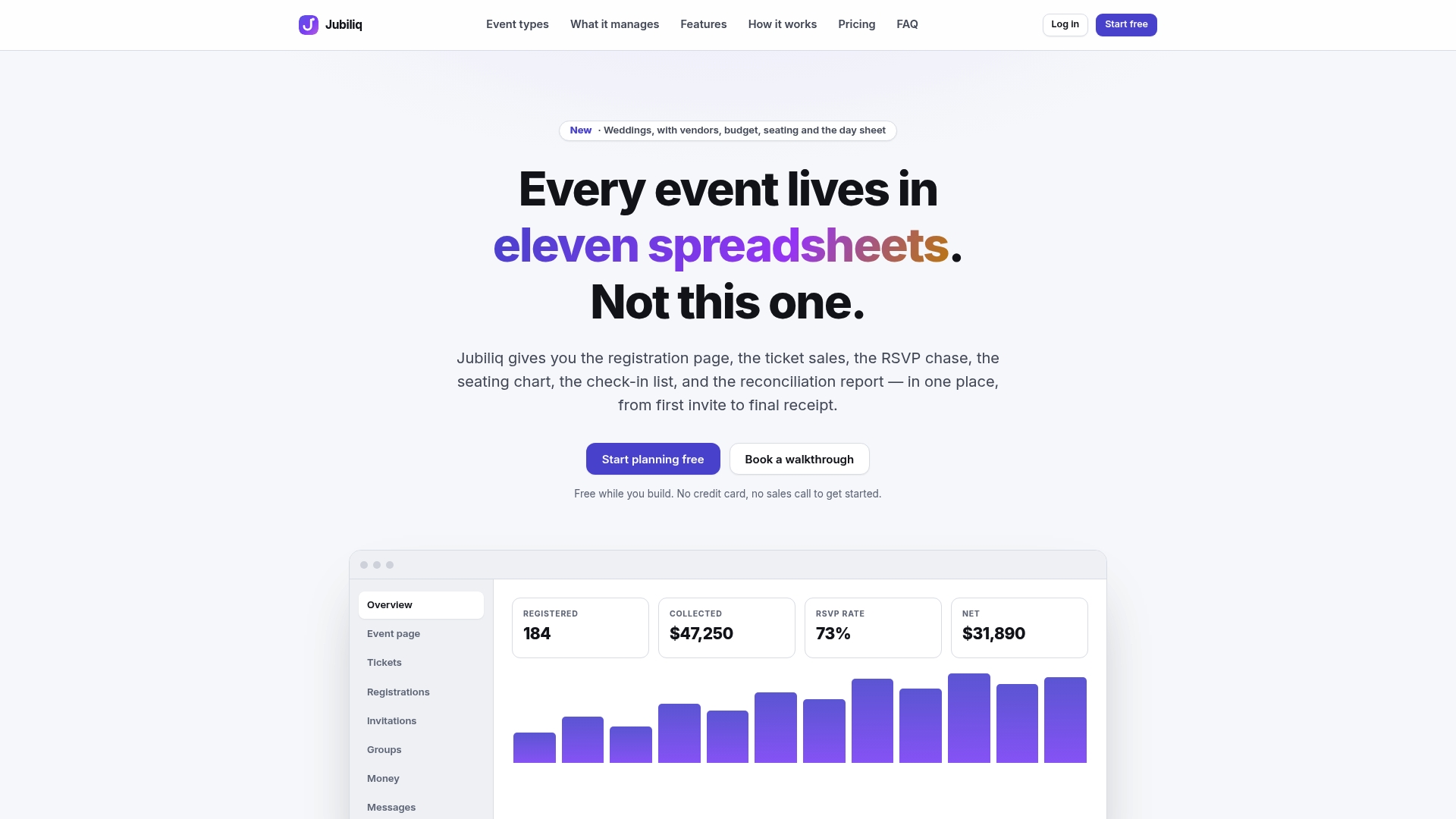
- RSVP tracking replaces a manual guest list spreadsheet with real-time registration counts.
- Budget tools keep your baseline and actual spend in the same view as your task list.
- Vendor management centralizes contracts and contact history for every supplier on the checklist.
- A printable day sheet turns your run-of-show into a distributable document in one click.
Our Starter plan is free for events without paid registration, and our Organizer plan runs on a 2% fee per paid ticket sale. Check your plans and features at Jubiliq to see which fits your next event.
FAQ
What are the 5 C’s of an event?
The 5 C’s commonly refer to concept, coordination, control, culmination, and closeout, a framework for sequencing event work from initial planning through post-event wrap-up. Different sources phrase these stages slightly differently, so treat it as a general planning lens rather than a fixed standard.
What do you need for a corporate event?
At minimum, you need clear objectives, a budget, a confirmed venue, signed vendor contracts, a registration system, and a run-of-show for day-of execution. Larger events add AV production, accessibility accommodations, and a post-event reporting plan to close the loop.
What are the 7 elements of event organization?
Common frameworks group event organization into objectives, budget, venue, vendors, marketing, logistics, and evaluation, though the exact count and labels vary across sources. The underlying idea is consistent: plan the goal first, then the resources, then the execution, then the review.
What is a checklist for an event?
An event checklist is a structured list of tasks, owners, and deadlines organized by planning phase, covering everything from venue booking to post-event reporting. A strong checklist assigns a single owner and due date to each item and attaches supporting documents like contracts or AV specs.
How soon should I start planning a corporate event?
For most corporate events, foundational decisions like objectives, audience, and venue shortlists should start six to twelve months ahead, according to Fivestone’s planning timeline. Smaller internal events can compress this timeline, but major conferences and multi-day programs benefit from the full runway to avoid late-stage scope changes.