Event Planners’ Guest Communication Plan: Sync RSVPs, Include Guests

Event Planners’ Guest Communication Plan: Sync RSVPs, Include Guests
A guest communication plan is a structured timeline of messages that moves attendees from invitation to RSVP to day-of logistics and finally to a post-event thank-you. It keeps your guest list synchronized at every step, so you send the right message to the right person once, and it cuts down on the confusion that usually shows up at check-in. The result is a clear headcount, fewer repeat questions, and a smoother event day.
TL;DR:
- Send invitations 4 to 8 weeks ahead, then remind nonresponders 7 to 14 days and 3 to 5 days before the event.
- Update guest status after each send, and exclude anyone who confirmed or declined from later reminders to prevent duplicate outreach.
- Include an accessibility contact and accommodation field from the first invitation; book interpreters or captioners 2 to 4 weeks ahead and send them event materials.
- Use SMS for same day changes, give staff one shared guest status dashboard, and route urgent problems through a single point person.
- Within a day or two, compare confirmed attendance with turnout and no shows, then follow up on accommodation requests and collect accessible survey feedback.
Table of Contents
- Build Your Communication Timeline and Channel Plan
- Message Templates and Timing That Save You Rewrites
- Collecting and Tracking RSVPs Without Losing Your Mind
- Day-of Coordination and Keeping Everyone on the Same Page
- Accessibility and Accommodation Communication That Actually Works
- Measuring Success and Closing the Loop After the Event
- What Most Organizers Get Wrong About Guest Communication
- How Jubiliq Puts This Plan Into Practice
- FAQ
- Sources
Build Your Communication Timeline and Channel Plan
A reliable guest communication plan follows the same backbone no matter what you’re hosting: a wedding, a gala, or a corporate summit. Each stage has a job to do and a channel that fits it best.
- Save-the-date (6 to 12 weeks out): send by email or printed card to give guests calendar lead time.
- Formal invitation (4 to 8 weeks out): email or your event website works well here, with a printed invite for weddings or formal galas.
- RSVP window (2 to 4 weeks): email with a direct link to your registration form keeps responses trackable.
- Reminder cadence one (7 to 14 days out) and reminder cadence two (3 to 5 days out): email first, then SMS for guests who haven’t responded, since text gets faster attention close to the date.
- Logistics packet (3 to 7 days out): email with parking, dress code, schedule, and venue details.
- Last-minute alerts (same day): SMS is the only channel fast enough for weather changes, room swaps, or delays.
- Post-event follow-up (24 to 72 hours after): email with thanks, photos, or a short survey.
The rule that keeps this whole sequence from annoying your guests is simple: always sync your guest list before sending and suppress anyone who’s already completed the action you’re asking for. A confirmed guest shouldn’t get an RSVP reminder, and someone who already paid shouldn’t get a payment nudge.
Message Templates and Timing That Save You Rewrites
Rather than writing every message from scratch, keep a small library of message types and adapt the wording to your event’s tone.
- Save-the-date: subject line like “Save the Date: [Event Name], [Date].” Keep it to one line and a calendar link.
- Formal invitation: subject line such as “You’re Invited: [Event Name].” Include a clear RSVP deadline in the first sentence.
- RSVP reminder one (7 to 14 days out): a short nudge: “We haven’t heard from you yet. RSVP by [date] so we can finalize seating.” For more ready-to-use lines and exact timing, see our RSVP reminder email guide.
- RSVP reminder two (3 to 5 days out): more urgent, with a specific deadline time, not just a date.
- Logistics packet: subject line “What to Know Before [Event Name].” Cover parking, timing, and attire in bullet form.
- Last-minute alert: subject line “Update: [Event Name] Today.” One sentence, the change, and what to do next.
- Thank-you and follow-up: subject line “Thank You for Celebrating With Us.” Include a short feedback link.
Segment your list before you send: VIPs and speakers often need earlier, more detailed logistics; vendors need separate timing cues tied to setup, not guest arrival; plus-ones need their own RSVP record so headcounts stay accurate.
Collecting and Tracking RSVPs Without Losing Your Mind
Your RSVP form is the backbone of the entire plan, so the fields you capture matter as much as the invitation itself.
- Attendance status (confirmed, declined, no response), meal choice, accessibility or dietary needs, and a preferred contact method.
- A single free-text field for accommodation requests, which feeds directly into your accessibility process.
- Sync guest status after every send and suppress anyone marked confirmed or declined before your next reminder goes out, a step covered in more depth in our guide to RSVP tracking at scale.
- Keep registration questions simple and specific: our registration form questions guide walks through which fields actually protect your event day versus which ones just add friction.
Export your list to CSV about 72 hours before the event and reconcile it against any payment or ticketing records so your final headcount matches what vendors are expecting to serve.
Day-of Coordination and Keeping Everyone on the Same Page
Day-of communication has a different job than everything before it: it’s not about persuading guests to respond, it’s about keeping staff, volunteers, and attendees synchronized in real time.
- Print day sheets with role assignments, arrival times, and emergency contacts for every staff member and volunteer.
- Designate one dashboard or shared doc as the single source of truth for guest status, so no one is working from an outdated list.
- Keep your comms stack simple: text for staff, a two-way radio for venue-wide updates, and a live dashboard for anyone managing check-in.
- Route last-minute issues (a no-show VIP, a delayed vendor) through one point person instead of letting multiple people improvise fixes.
Pro Tip: Write your last-minute alert templates before the event, not during it. A pre-written “delay” and “room change” message means you’re editing details, not composing under pressure.
For events with a virtual or hybrid component, production and live updates need their own structure. Our guide on hybrid event planning covers how to keep in-person and remote audiences on the same information without doubling your workload.
Accessibility and Accommodation Communication That Actually Works
Accessibility isn’t a separate communication track, it’s part of every message you send, starting with your first promotional post.
- Include a short accessibility statement and a named contact on all promotional and registration materials, a practice recommended by W3C WAI guidance on accessible events, which notes that clear accommodation contacts reduce participant anxiety and help staff prepare.
- Add accommodation checkboxes and a free-text field to your registration form, then follow up individually with anyone who flags a need, an approach outlined in Rutgers’ guidelines for hosting accessible events, which recommends designating an event accommodation assistant and treating requests as an interactive process.
- Book ASL interpreters, CART captioners, or other services 2 to 4 weeks ahead, and send them your agenda and materials in advance so their work matches your actual program.
- On the day itself, designate an Access Coordinator and post clearly where guests can find them, alongside quiet rooms or labeled food stations, both recommended in Mass.
- Reference a current accessible event checklist for signage, wayfinding, and staff training on accommodation roles before finalizing your plan.
Measuring Success and Closing the Loop After the Event
The two numbers worth tracking immediately after your event are your final confirmed count against actual attendance, and your no-show rate against RSVP commitments. Reconciling these within a day or two tells you whether your reminder cadence actually worked or whether guests confirmed and then didn’t show.
Send a short, accessible post-event survey, plain text or HTML, never information locked inside an image, and follow up individually with anyone who requested an accommodation to confirm it was met. Fold what you learn into your next guest list: which reminder timing got responses, which channel got ignored, and which accommodation requests came in too late to fulfill cleanly.

What Most Organizers Get Wrong About Guest Communication
Most communication breakdowns aren’t about writing better emails, they’re about operational discipline. Teams send a reminder to everyone on the list instead of suppressing guests who already responded, and that single mistake does more damage to guest trust than a clumsy subject line ever could.

The second common mistake is treating accessibility as an afterthought tacked onto the week-of logistics email instead of a line in the first invitation. By the time someone asks for an accommodation three days out, you’ve lost the lead time needed to book an interpreter or adjust seating properly.
Consolidating RSVP data and templates in one system, rather than spreading them across spreadsheets and a separate email tool, is what actually prevents duplicate outreach and missed accommodation requests.
— HCRF
How Jubiliq Puts This Plan Into Practice
Running this timeline by hand across spreadsheets, a mail client, and a separate RSVP form is exactly where guest status gets out of sync. We built our platform so the whole plan lives in one place: an adaptive interface that shows organizers the tools relevant to their event type without cluttering the view with irrelevant options.
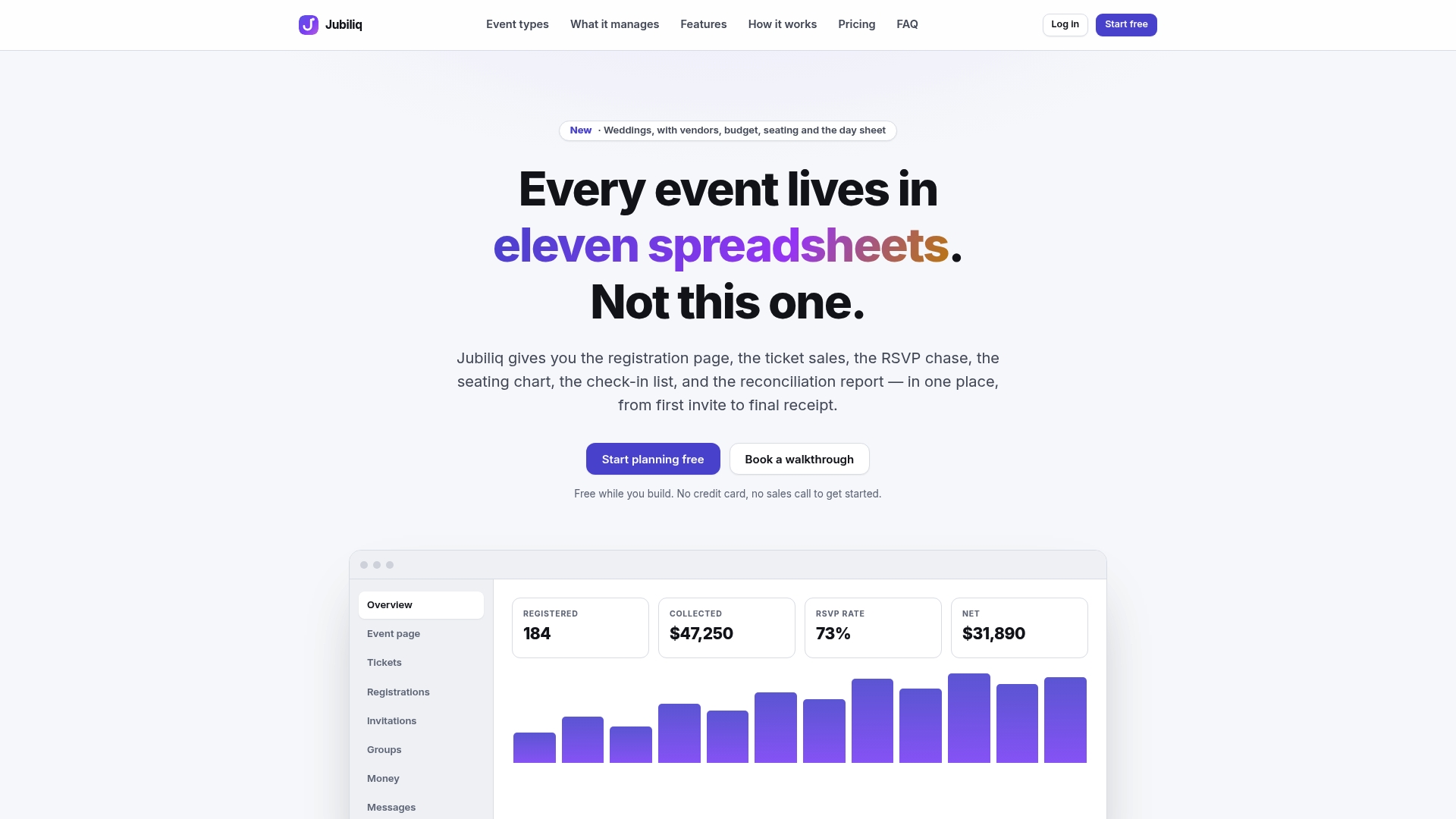
RSVPs, real-time guest status, printable day sheets, and CSV export run from the same dashboard, enabling automatic suppression without manual updates. We offer a free plan for events without paid tickets, a paid plan charging a percentage per paid registration for ticketed events and fundraisers, and custom pricing for multi-event organizations.
See how the adaptive workflows fit your event type at Jubiliq.
FAQ
What should a guest communication plan include at minimum?
At minimum, it needs a save-the-date or invitation, an RSVP collection step, at least one reminder, a logistics message before the event, and a post-event follow-up. Each stage should use the channel guests respond to fastest, typically email for early stages and SMS for last-minute updates.
How many RSVP reminders should I send?
Two reminders generally cover most events: one at 7 to 14 days out and a second at 3 to 5 days out for anyone who hasn’t responded. Always suppress guests who already confirmed or declined before sending either reminder.
What accommodation information should I collect on registration forms?
Collect attendance status, dietary or meal preferences, and a free-text accessibility or accommodation field, then follow up individually with anyone who flags a need. Guidance from Rutgers recommends treating these requests as an interactive process rather than a one-time checkbox.
How far in advance should I book ASL interpreters or captioners?
Book these services 2 to 4 weeks before your event and send them your agenda and materials ahead of time so their work matches your program accurately.
Does Jubiliq charge for guest communication features?
Our Starter plan is free for events without paid tickets, such as weddings or planning-only use, while our Organizer plan charges 2% per paid registration for ticketed events; Enterprise pricing is available on request.
Sources
- Accessible event checklist — NCHPAD (2026)
- Making events accessible — W3C WAI
- Guidelines: hosting accessible events, programs or activities — Rutgers RADR
- Mass